
Dashboard
A web view of your runs: what is running, what is waiting and on what, what failed and why, and how each run spent its time. It runs inside your own app, against the storage your engine already uses, with no extra services.
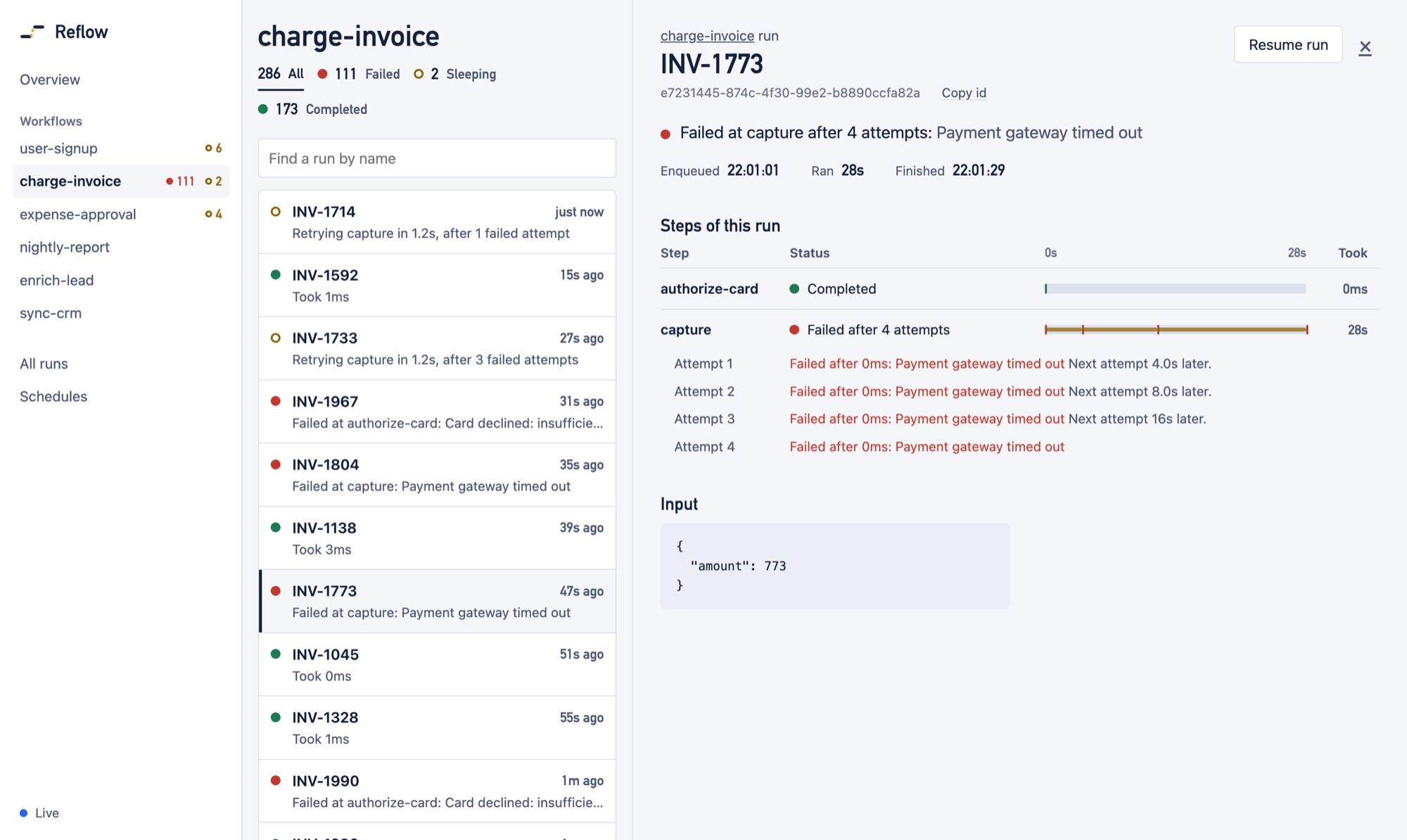
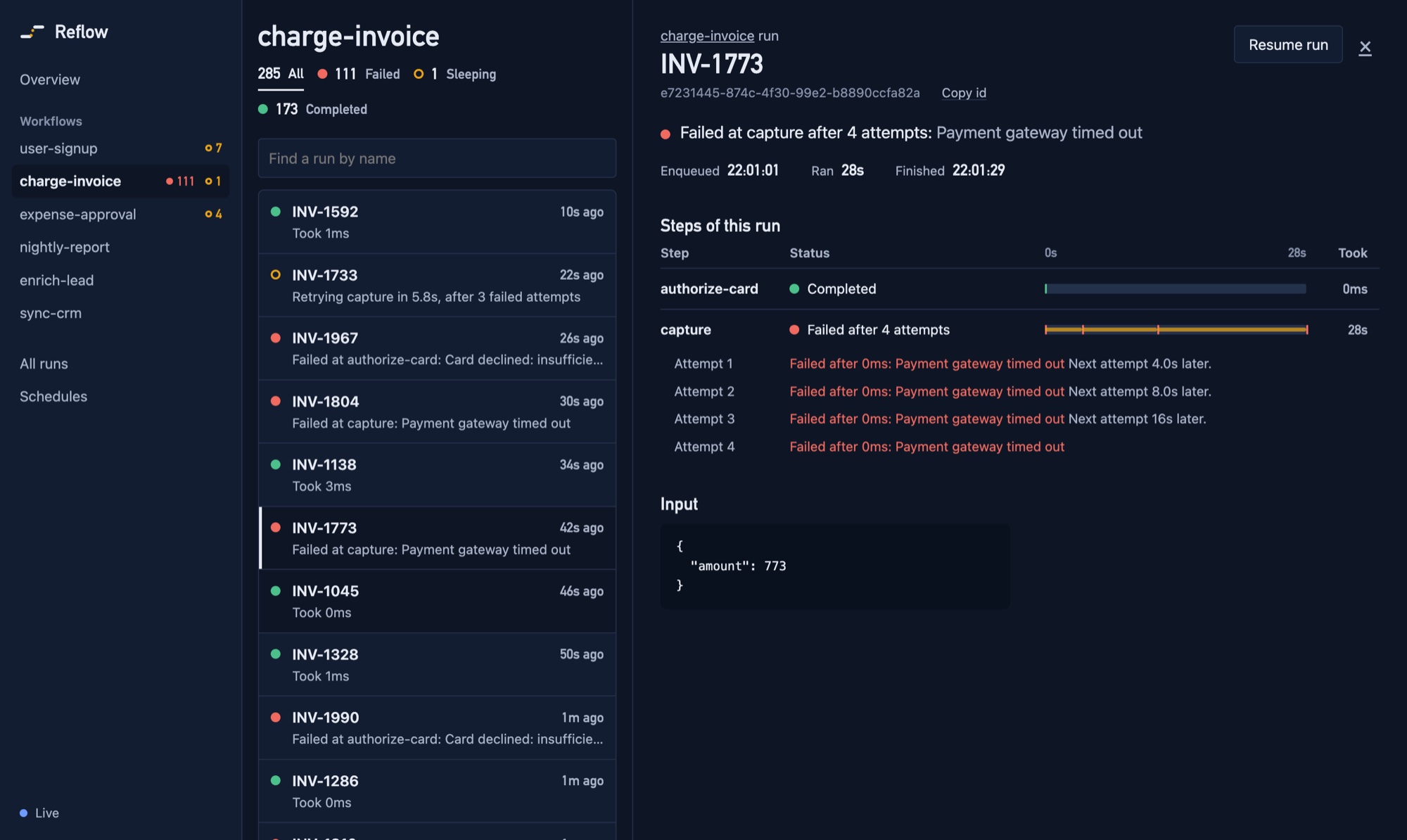
There is nothing to sign up for and nothing hosted by us. The dashboard ships in the reflow-ts package and runs on your own machine or server, so your run data never leaves it. There are two ways to open it:
- The command line, to look at a database file. Nothing to write.
- Inside your app, a few lines that serve it from your own server, behind your own sign-in, with buttons to cancel and resume runs.
From the command line
Point it at the SQLite file your app uses:
npx reflow-ts dashboard ./app.db
# http://127.0.0.1:4400/  (read-only)
Open the address it prints. That is all: it needs Node 22.5 or later, or Bun, and nothing else.
It cannot change anything. It opens the file read-only, so it is safe to point at a live database or a backup, and with no engine attached there is nothing to cancel or resume with. It listens only on your own machine (127.0.0.1), and answers only to requests addressed to that host and port. Pass --port to pick another port.
A database from an older version of Reflow is refused rather than upgraded behind your back; start your app on the new version once, or pass --migrate. The command never creates a database at a path that does not exist.
On a server
To look at a production database without opening any port to the internet, run the command on the server and reach it through SSH:
ssh -t -L 4400:127.0.0.1:4400 you@your-server 'cd /srv/app && npx reflow-ts dashboard ./app.db'Then open http://127.0.0.1:4400/ on your own machine. The dashboard listens only on the server's loopback address, so it is not exposed to the network — only to you through the tunnel, and to anyone already logged in to that server. -t makes closing the connection stop it; press Ctrl+C or close the session when you are done. Keep the same port number on both sides of -L.
--host with one of the server's own addresses serves it to the network instead, with no sign-in: anyone who can reach that address can read every run's input and output. (--host 0.0.0.0 is refused, because the dashboard answers only to the address it is reached by.) Use SSH, or the dashboard inside your app.
In your app
createDashboard() returns a request handler. Pass it the storage and engine you already have, and choose who can see it:
import { createServer } from 'node:http'
import { createEngine } from 'reflow-ts'
import { SQLiteStorage } from 'reflow-ts/sqlite-node'
import { basicAuth, createDashboard, toNodeHandler } from 'reflow-ts/dashboard'
import { order, signup } from './workflows'

const storage = new SQLiteStorage('./app.db')
const engine = createEngine({ storage, workflows: [order, signup] })
await engine.start()

const dashboard = createDashboard({
  storage,
  engine, // lets it cancel and resume runs, and update live
  workflows: [order, signup], // lets it show every step, including ones not reached yet
  authorize: basicAuth({ username: 'admin', password: process.env.REFLOW_DASHBOARD_PASSWORD }),
})

createServer(toNodeHandler(dashboard)).listen(4400)
Set REFLOW_DASHBOARD_PASSWORD, start the app, and open http://localhost:4400/. The browser asks for the username and password once. If the variable is not set, basicAuth throws at startup rather than serving the dashboard with no password.
Mounting it in your server
The handler is a standard Fetch API one — (request: Request) => Promise<Response> — so it drops into most servers as it is. To serve it under a path of your app instead of on its own port:
import { toNodeHandler } from 'reflow-ts/dashboard'

// Express removes the mount path before the handler sees it, so leave basePath unset
app.use('/admin/reflow', toNodeHandler(dashboard))const reflow = createDashboard({ storage, engine, authorize, basePath: '/admin/reflow' })
app.all('/admin/reflow/*', (c) => reflow(c.req.raw))// app/admin/reflow/[[...path]]/route.ts
const reflow = createDashboard({ storage, engine, authorize, basePath: '/admin/reflow' })
export const GET = reflow
export const POST = reflowconst reflow = createDashboard({ storage, engine, authorize, basePath: '/admin/reflow' })
Bun.serve({
fetch(request) {
if (new URL(request.url).pathname.startsWith('/admin/reflow')) return reflow(request)
return app(request)
},
})Servers that pass the full path to the handler — Hono, Next.js, Bun — need basePath set to the mount path. Express and node:http do not.
Who can see it
authorize is required: the dashboard shows your runs' inputs and outputs, so there is no default that shows them to anyone. It is called for the page and every request the page makes, and returns true to let the request in. Pick the one that fits your app:
A password. For an app with no sign-in of its own. The browser shows its own sign-in prompt, and sends the password with every request — encoded, not encrypted — so serve it over HTTPS anywhere but localhost.
authorize: basicAuth({
  username: 'admin',
  password: process.env.REFLOW_DASHBOARD_PASSWORD,
}),
Your app's own sign-in. Check the session the browser already sends, with whatever your app uses to read it. Return a Response to send it instead of the dashboard — here, a redirect to your login page:
authorize: async (request) => {
  // Your app's own session lookup
  const user = await getSessionUser(request)
  if (!user) {
    return Response.redirect(new URL('/login', request.url), 302)
  }
  return user.role === 'admin'
}
Returning false answers 401.
A private network. When the dashboard is only reachable inside a VPN or a private network, you may skip the check — but then list the addresses it is served at, so a website someone visits cannot reach it through their browser:
authorize: () => true,
allowedHosts: ['reflow.internal:4400'],
Options
| Option | Description |
|---|---|
storage | The storage to read runs from — the same one your engine uses. |
authorize(request) | Required. Return true to let the request in, false to answer 401, or a Response to send instead. Called for the page and every request it makes; may be async. Check what the request carries — a session, a password — not where it comes from. |
allowedHosts | The Host values to answer to, such as ['localhost:4400']; anything else gets 421. Set it whenever authorize checks no credentials. Also list your public host if a proxy in front rewrites Host. |
engine | Optional. Enables cancelling and resuming runs, and live updates. Without it the dashboard is read-only and refreshes every few seconds. |
workflows | Optional. The workflows your engine runs, as passed to createEngine. With them the dashboard lists every workflow with its steps in order, and shows which steps a run has not reached yet. Without them it lists the workflows seen in recent runs, and only the steps that have run. |
basePath | The path it is mounted at, when your server passes full paths (Hono, Next.js, Bun). Default /. |
title | Shown in the header and the browser tab. Default Reflow. |
What it shows
A sidebar lists every workflow, with how many of its runs have failed or are still in progress, so switching between them is one click. Pick one and its runs fill the middle; pick a run and its detail opens beside them, so moving to the next run — a click, or the arrow keys — never means going back. On a phone the panes show one at a time.
- Workflows. Each workflow you defined, with its steps in order and how many of its runs are failed, waiting, sleeping, or completed. A workflow is the recipe; every
enqueue()starts a new, independent run of it. - A workflow's runs, newest first. Each run is labelled by its input — email: ada@example.com — so runs of the same workflow can be told apart, with one line on where it stands (Retrying capture in 3s, after 2 failed attempts, Waiting for approved, times out in 23h) and its steps so far. Counts by status double as filters.
- One run. Where it stands in a sentence, then each step with its status, how long it took, and where it fell in the run's time. A retried step lists every attempt with its error and the wait before the next; a stretch where nothing ran, such as a crash before another engine picked the run up, is called out between steps. Then the run's input and output.
- All runs, across workflows, for triage — every failed run, say.
- Schedules, with when each next fires.
Live updates and load
With engine, the page updates as that engine moves runs on. Changes made by other processes — workers deployed separately from the app serving the dashboard — show up within five seconds, through polling. Without engine, everything arrives that way.
However busy the engine, an open dashboard refreshes at most once a second, and the counts, run pages, and insights it reads are shared between viewers for a second or two, so several open tabs cost about as much as one. Against SQLite, every read it makes is an index range rather than a scan; on a database of a million runs, each answers in a few milliseconds, except listing runs of every workflow filtered by status, which takes on the order of 100ms.
Naming runs
Ten runs of user-signup are easier to tell apart by who signed up than by id. Give the workflow a label, computed from each run's typed input:
const signup = createWorkflow({
  name: 'user-signup',
  input: z.object({ userId: z.string(), email: z.string() }),
  label: (input) => input.userId,
})
Without one, a run is shown by its idempotency key if it has one, or else by its short id. The dashboard never shows input in the list unless a label puts it there.
A label is shown in every list, so choose something that is fine for anyone with dashboard access to see: an id or an order number rather than an email address or a name. If personal data is the useful handle, mask it — `${input.email.slice(0, 2)}…@${input.email.split('@')[1]}`. The run's full input is still shown on its own page, to anyone authorize lets in.
The dashboard reads labels from the definitions passed as workflows.
Security
Run inputs and outputs are your application's data, so the dashboard is built to be safe to expose behind your own auth:
authorizeis required — there is no default that serves data to anyone. Open access is an explicit() => true, and must come withallowedHosts: a dashboard that checks no credentials is otherwise readable by any site the viewer visits, which can re-point its own domain at the dashboard's address (DNS rebinding) and so count as same-origin.- Cancel and resume exist only when you pass
engine, and only asPOSTrequests carrying a header that a cross-site page cannot send, from the dashboard's own host. A link or form elsewhere cannot trigger them. The host is compared rather than the whole origin, so actions keep working behind a TLS-terminating proxy. - A slow or stalled browser tab cannot make the server buffer live updates, nor slow the engine: notices it cannot take are folded into a single refresh.
- The page loads nothing from any other origin and runs under a strict content security policy with a per-response nonce; it cannot be framed. Run data is only ever rendered as text, never as markup.
- The run list never includes inputs or outputs; only opening a run fetches them.